Look, if you’re from Andhra Pradesh and you’ve ever waited outside a government office for hours just to check if your welfare application got approved, you know the pain. The sun beating down. The long queue. The person at the counter telling you to come back next week. It’s exhausting. That’s exactly why the NBM Portal exists. NBM stands for Navasakam Beneficiary Management, and it’s basically the Andhra Pradesh government’s way of putting all your welfare scheme details online.
Amma Vodi, YSR Rythu Bharosa, pension schemes, housing benefits — everything lives here now. Instead of running to your Grama Sachivalayam every other day, you can check your status from your phone while sitting at home. Sounds good, right? But here’s the thing — a lot of people don’t know how to actually use it. Or they get confused by the login page. So let me break it down for you in the simplest way possible.
How to Get Into the Portal
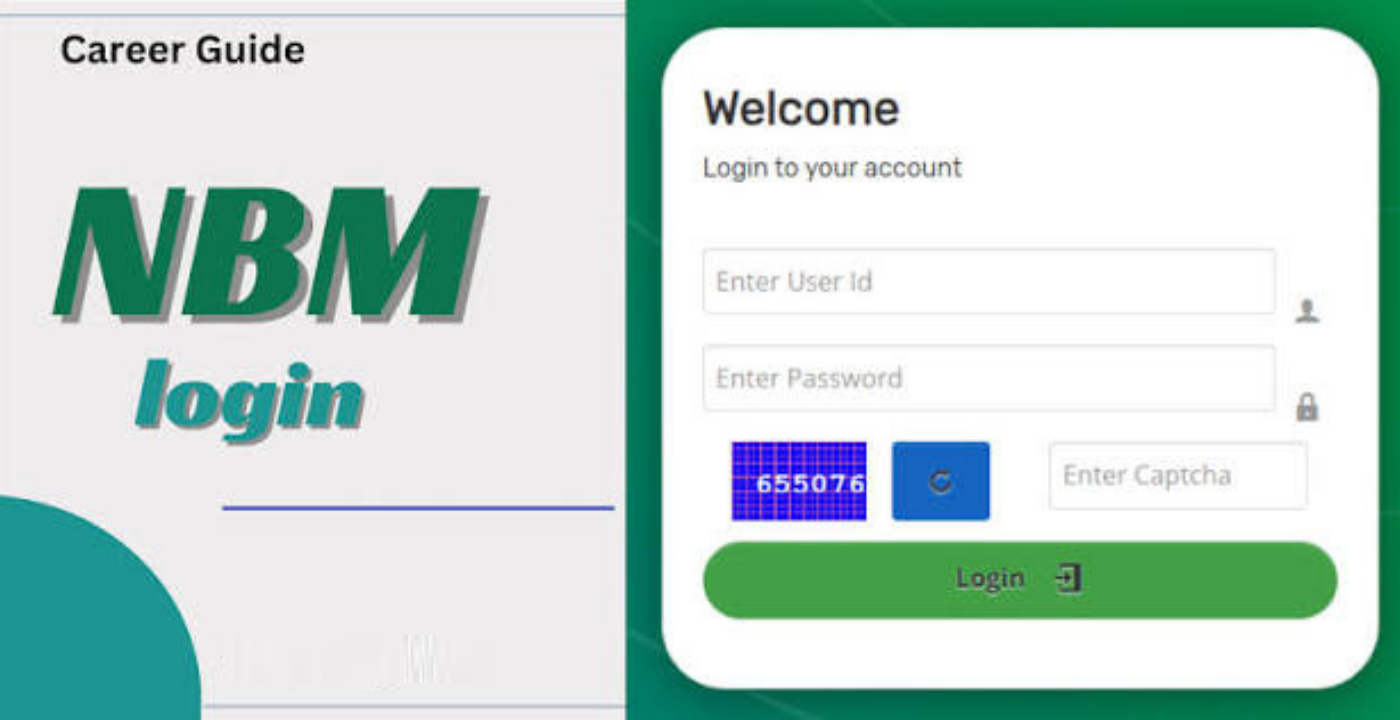
First, open your browser and type this exactly: bm-sgsw.ap.gov.in/BM/. I can’t stress this enough. There are fake websites out there that look similar but will just waste your time or worse. Make sure you’re on the real government site.
Once it loads, you’ll see a Login button right on the homepage. Can’t miss it. Click that.
Now you’ll get a form asking for your username and password. Enter whatever credentials you were given when you registered or when your village secretary set up your account. Then there’s the CAPTCHA. Yeah, I know, those distorted letters are annoying. But you have to fill it in. It’s just there to make sure you’re a real person and not some robot trying to break in.
Hit Login. If your details are right, your dashboard opens up. Simple.
If you’re a GSWS volunteer or welfare assistant though, your login is slightly different. You’ll see an option to select your login type. Pick that, then enter your User ID and password. This gives you access to manage applications and help the beneficiaries in your area.
Checking Where Your Application Actually Stands
This is what most people care about. You applied for something weeks ago and you have no idea what’s happening. Here’s how to find out.
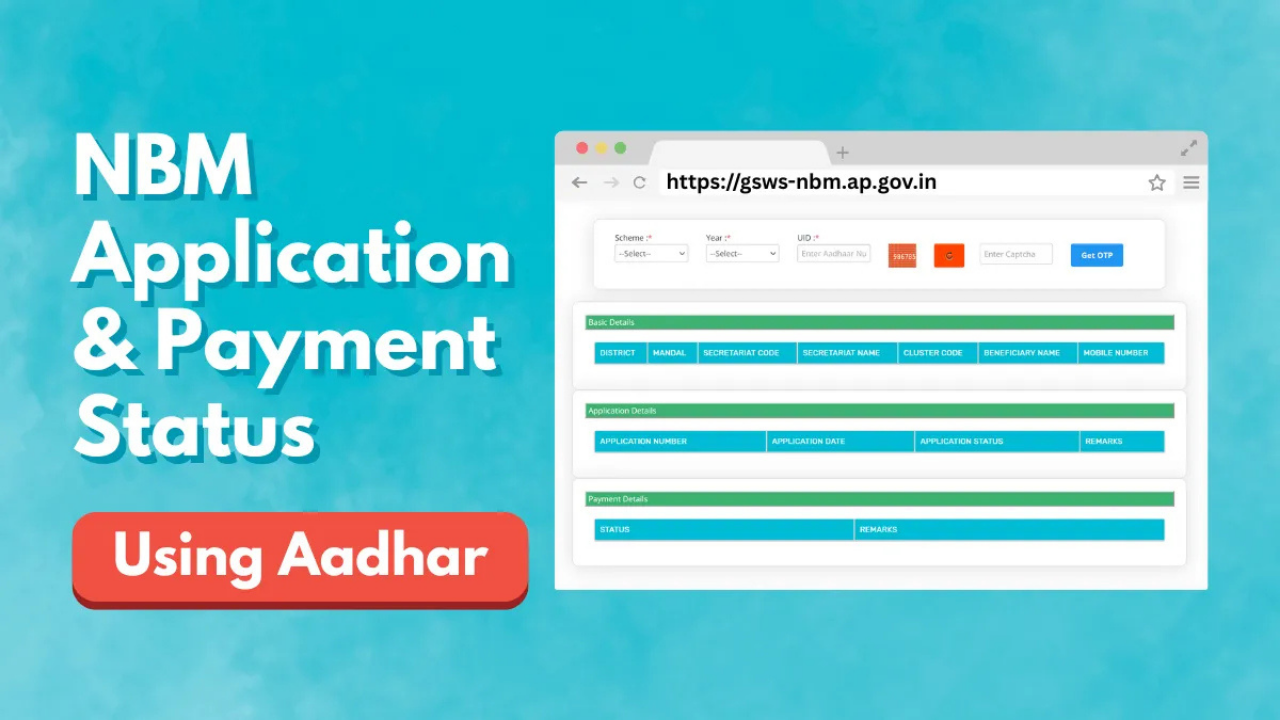
- Go to this link: bm-sgsw.ap.gov.in/BM/Applnstatus. Bookmark it if you want, because you’ll probably visit it more than once.
- Pick your scheme from the dropdown. Amma Vodi, pension, farmer subsidy — whatever you applied for.
- Then enter your Aadhaar number. Be careful here. One wrong digit and you’ll get an error or worse, someone else’s details.
- The system will send an OTP to your registered mobile number. Enter that code and submit. That’s it.
Your status pops up immediately. You’ll see your application number, when you submitted it, your secretariat details, district and mandal information, and any remarks from the officer handling your file. No more guessing. No more begging the clerk for information.
What Those Status Messages Really Mean
Okay, so you got your status but now you’re staring at words like “Under Verification” or “On Hold,” and you don’t know what to make of it. Let me explain.
Approved means you’re good. Your application is accepted and the benefit should hit your account soon.
Pending just means your file is waiting in line. It’s normal for new applications, so don’t panic.
Under Verification means someone is actually looking at your documents right now. This takes time depending on how many files are in front of yours.
In Process means your application is moving through different levels of approval. It’s not stuck, it’s just going through the system.
Rejected means something went wrong. Maybe you didn’t meet the eligibility criteria. Maybe your documents had issues. If you see this, go to your Grama Sachivalayam and ask them exactly why. Sometimes it’s fixable.
On Hold means they need something extra from you. Could be a document mismatch. Could be your Aadhaar details don’t match your bank account. Check the remarks section for clues.
Are You Even Eligible? Check Before You Apply
There’s nothing worse than filling out a long application only to find out you don’t qualify. The portal has a feature for this.
- Visit bm-sgsw.ap.gov.in/BM/Schemeout.
- Enter your Aadhaar details and select the scheme you’re interested in.
- Submit it and the portal tells you right away if you make the cut.
Generally speaking, you need to be a permanent resident of Andhra Pradesh. Your income has to be below whatever limit the government set for that particular scheme. Land ownership is usually capped at ten acres. Priority goes to SC, ST, BC, EBC, and Kapu communities. Some schemes also have age limits or occupation requirements. So read the rules before you get your hopes up.
When Things Go Wrong
Let’s be honest. Government portals aren’t exactly known for being smooth. Sometimes stuff breaks. Here’s what to do.
- Forgot your password? Click the forgot password link and follow the steps. You’ll need access to your registered mobile number because they’ll send you a reset link or OTP.
- CAPTCHA not loading? Refresh the page. If that doesn’t work, switch browsers. Chrome and Edge usually handle these portals better than Safari or whatever old browser you’re using.
- OTP not coming? First check if you have network signal. Then wait a bit. Government SMS services can be slow. Don’t hammer the resend button ten times in thirty seconds. That just makes it worse.
- Website completely down? Yeah, that happens. Government sites go under maintenance without warning sometimes. Wait an hour or two and try again. Or try early morning when fewer people are logged in.
- Account locked? If you tried the wrong password too many times, call the helpline at 1902. Or just walk into your local Grama Sachivalayam and ask them to unlock it.
Keep These Documents Ready
Before you start clicking around, gather your papers. It’ll save you from getting up mid-process to find something.
- Aadhaar Card — obviously.
- Address proof to show you actually live in AP.
- Income certificate because most schemes are for people below a certain income level.
- Caste certificate if you’re applying under reserved categories.
- Bank account details because every benefit now goes directly to your account through DBT. No middlemen.
- Passport-size photo for your application record.
Some schemes might ask for extra stuff like a widow certificate or SADAREM certificate. Check the specific scheme page so you’re not caught off guard.
Why This Actually Matters
You might be thinking, why bother with all this online stuff? I can just go to the office.
But here’s the truth. The old way was broken. You’d submit papers and then hear nothing for weeks. Maybe months. You’d take a day off work, travel to the office, wait in line, and the person behind the desk would tell you to come back later. It was frustrating and honestly disrespectful to people’s time.
The NBM Portal changes that. You can see exactly where your file is. You know what’s missing. You know what happens next. And because money goes straight to your bank account through Direct Benefit Transfer, there’s less chance of someone taking a cut in between. Is the portal perfect? No. Sometimes it’s slow. Sometimes it goes down. But compared to standing in the sun outside a government office wondering if your pension will ever get approved? It’s a massive improvement.
Read More: Best Bike Under 1 Lakh in Bangladesh (2026 Guide)