If you have an account with Indian Bank and you are tired of running to the branch or ATM every time you want to check how much money is left, this guide is for you. There are actually a bunch of ways to check your balance, and most of them do not even need internet. Let me walk you through each one in plain language.
The Toll-Free Indian Bank Balance Check Number
The simplest way is to just call and ask. Indian Bank has a toll-free number you can dial from your registered mobile number. That number is 1800-425-00000. When you call, the system will ask you to pick a language. After that, a customer care person will help you find out your balance. Just keep your account number ready because they might ask for it.
This works anytime, day or night. And since it is toll-free, you do not pay anything for the call.
Missed Call Service: The Easiest Trick
This one is my personal favorite because it takes literally five seconds. You just give a missed call from your registered mobile number and the bank sends your balance by SMS. No talking to anyone, no waiting on hold.
The Indian Bank missed call numbers are:
- 96776 33000
- 93840 24365
Here is how it works. Open your phone, dial one of these numbers, and let it ring once or twice. The call will disconnect automatically. Within a few seconds, you will get a text message showing your account balance. That is it. No charges, no internet needed.
Just make sure the mobile number you are calling from is the same one you gave to the bank when you opened your account. If it is not registered, this will not work.
SMS Banking: When You Want More Details
Sometimes you need more than just your balance. Maybe you want your last few transactions or you want to check if a cheque got cleared. For that, SMS banking is useful.
To check your balance by SMS, open your messaging app and type:
BALAVL [space] [your account number] [space] [your MPIN]
Then send this message to 9444394443.
For example, if your account number is 123456789012 and your MPIN is 5555, your message should look like this:
BALAVL 123456789012 5555
You will get a reply with your balance. Standard SMS charges apply, but the bank does not charge anything extra.
If you want your last three transactions instead, replace BALAVL with LATRAN and send it the same way.
Read Also: NBM Login: How to Access the Navasakam Portal Without Losing Your Mind
WhatsApp Banking: Because Everyone Uses WhatsApp
Indian Bank also lets you check your balance through WhatsApp. Save the number 87544 24242 in your phone contacts. Open WhatsApp, send a simple message saying Hi to that number from your registered mobile number. The bank will reply with a menu of services. Pick the balance check option and your balance will show up right there in the chat.
This is great because you do not need to download any extra app. If you already have WhatsApp, you are good to go.
Net Banking: For People Who Like Doing Everything Online
If you are comfortable using a computer or phone browser, Indian Bank net banking is very handy. Go to indianbank.net.in and log in with your user ID and password. Once you are inside, your account balance will be right there on the home page. You can also see your full statement, transfer money, pay bills, and do a lot more.
If you have never used net banking before, you will need to register first. You can do that by visiting your branch or sometimes through your debit card details on the website.
Mobile Apps: IndOASIS and IndSMART
Indian Bank has two official apps called IndOASIS and IndSMART. You can download them from the Play Store or App Store. After installing, log in with your credentials. The first time you use it, you might need to verify yourself with your debit card. Once inside, tap on My Account or Balance Enquiry and your balance pops up instantly.
These apps are free and they let you do almost everything. Fund transfers, bill payments, chequebook requests, FD opening- you name it.
UPI Apps: Google Pay, PhonePe and Others
If you use any UPI app like Google Pay, PhonePe, Paytm, or Amazon Pay, you can check your Indian Bank balance from there too. Open the app, go to your linked bank accounts, select Indian Bank, and tap on Check Balance. Enter your UPI PIN and the balance appears on the screen.
This is super convenient because most people already have at least one UPI app on their phone.
ATM: The Old Reliable Method
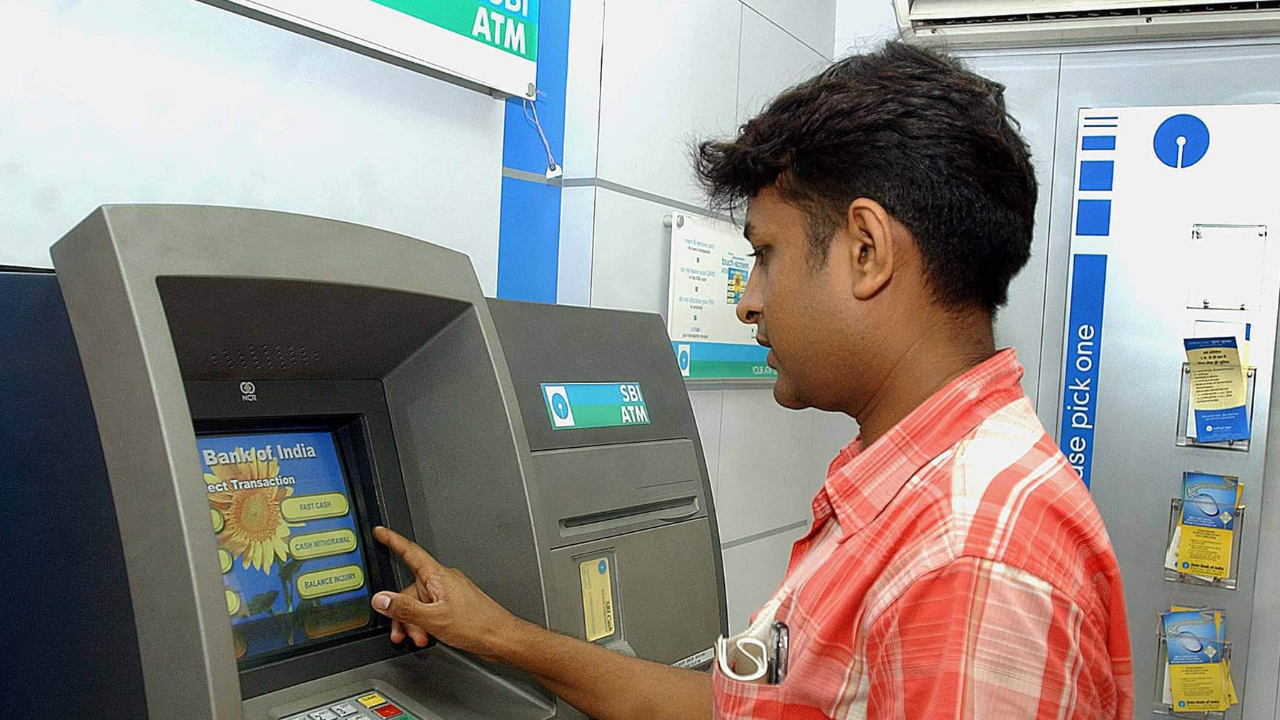
If you are near an ATM, just insert your Indian Bank debit card. Enter your four-digit PIN, select Balance Enquiry, and the screen will show your balance. You can also print a small slip if you want a physical copy.
This works at Indian Bank ATMs and at most other bank ATMs too. Though some other bank ATMs might charge you a small fee if you use them too many times in a month.
USSD Code: For Phones Without Internet
If your phone does not have internet and you do not want to call anyone, dial *99*58# from your registered mobile number. Your balance will show up on the screen immediately. This works on any basic phone, even the old keypad ones.
A Few Important Things to Remember
Your mobile number must be registered with the bank for missed call, SMS, and USSD services to work. If it is not registered, visit your branch and fill out a form. It takes just a few minutes.
Never share your MPIN, OTP, or UPI PIN with anyone. Not even if someone claims to be from the bank. Real bank employees will never ask for these.
If you get a balance message you did not request, or if the balance looks wrong, call customer care immediately.
The toll-free number and missed call services work twenty-four hours a day, even on Sundays and holidays.
Final Word
Checking your Indian Bank balance is not hard at all. The quickest way is the missed call number 96776 33000. The most detailed way is net banking or the mobile app. And if you just want a no-fuss option, WhatsApp banking works great.
Pick whatever suits you best and stop making trips to the branch just to know your balance. The bank has made it easy. You just need to use it.
Read More: What Is Section 45 of the Income Tax Act